WordPress Plugin
WPSDDC Multilingual Tools
DocumentationReview translation links and optionally use language-specific alt defaults for attachment-generated images with Polylang or WPML.
Documentation
The WPSDDC Multilingual Tools WordPress Plugin is designed for reviewing translation links and multilingual image ALT text. It helps editors inspect language relationships and optional attachment descriptions. This is useful for maintaining bilingual WordPress content consistently. Your language plugin remains responsible for linking translations.
For practical context on the WPSDDC Multilingual Tools WordPress Plugin, read Hreflang and Canonical Signals on Bilingual Sites. The official reference on WordPress Internationalization explains related technical concepts.
Requirements and Compatibility
- WordPress 6.0 or later; PHP 8.1 or later.
- English and Spanish interface.
- Works without the general HQ plugin; active collection plugins share one WPSDDC menu.
- Configure Polylang or WPML with at least two languages; neither is bundled.
Installation and First Steps
- Check requirements and use a test installation first.
- When the official ZIP is available to you, open Plugins → Add New → Upload Plugin, select it and activate it.
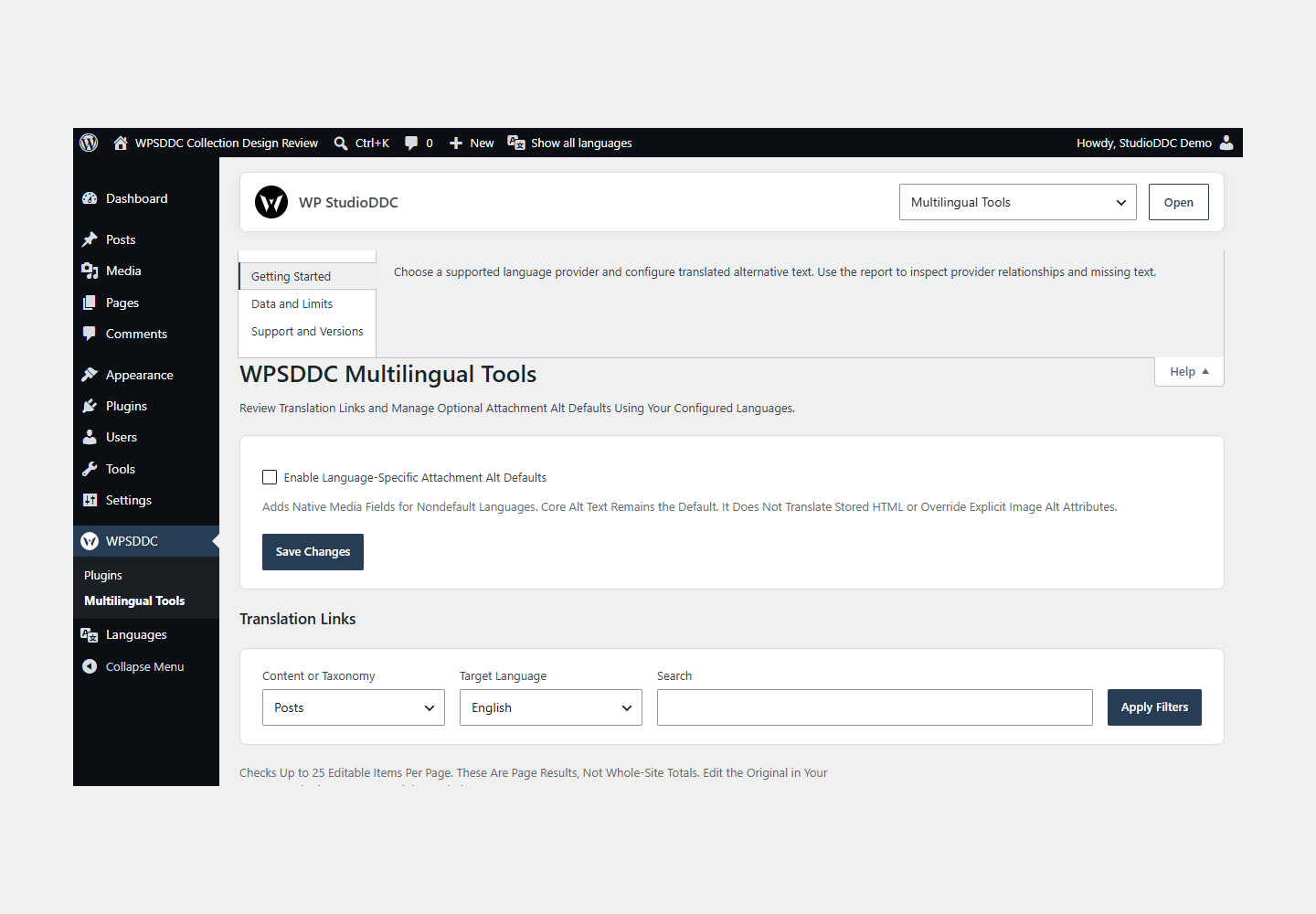
- Open WPSDDC → Multilingual Tools. The native Help tab includes instructions and support.
Configuration and Use
Choose a supported language provider and configure translated alternative text. Use the report to inspect provider relationships and missing text.
Operating Limits
Providers own language relationships. Alternative text and settings stay local. Polylang was tested installed; WPML is contract-tested and still needs a licensed installation test.
Data, Privacy and Deactivation
Providers own language relationships. Alternative text and settings stay local. Polylang was tested installed; WPML is contract-tested and still needs a licensed installation test.
Detailed Behavior
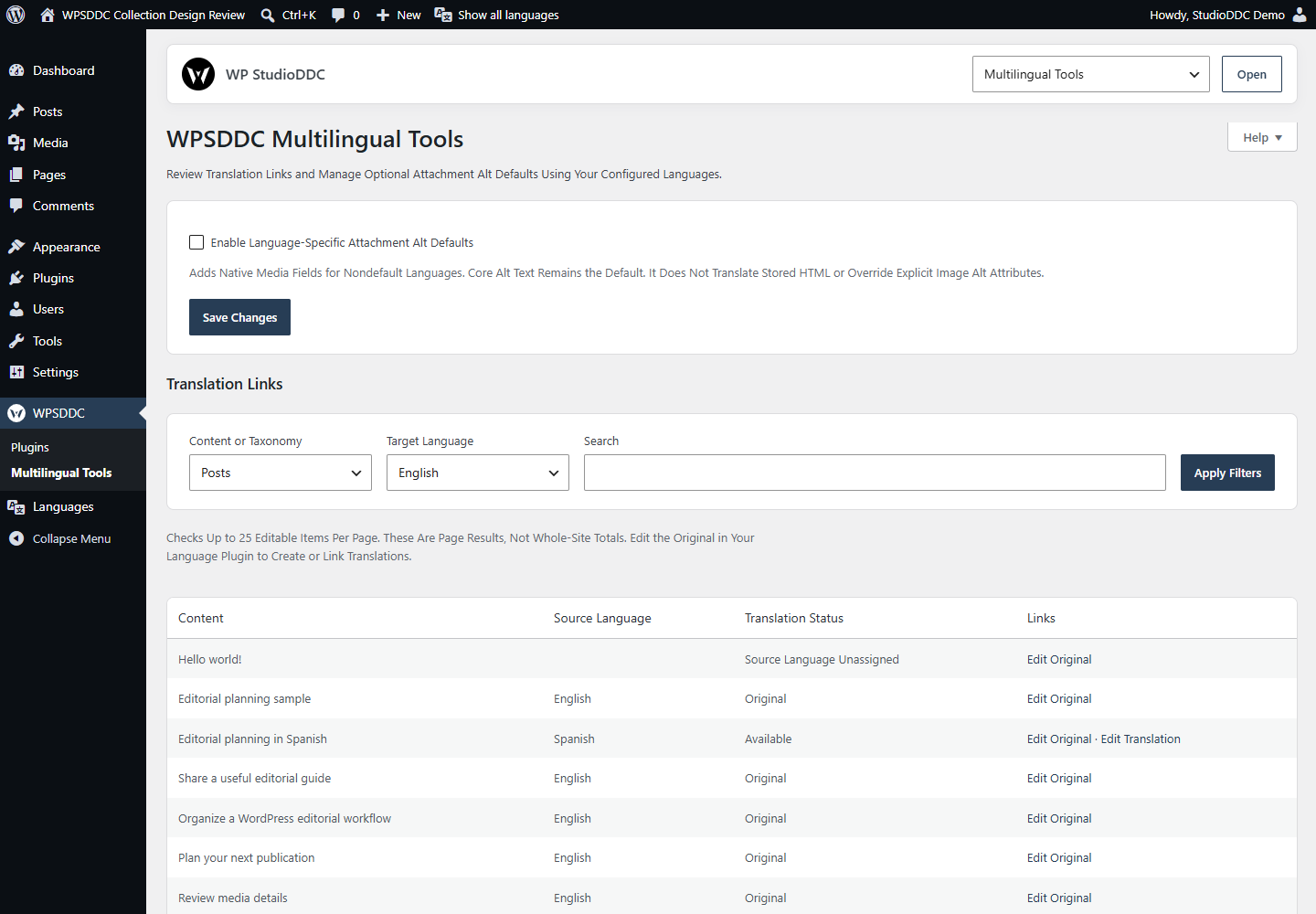
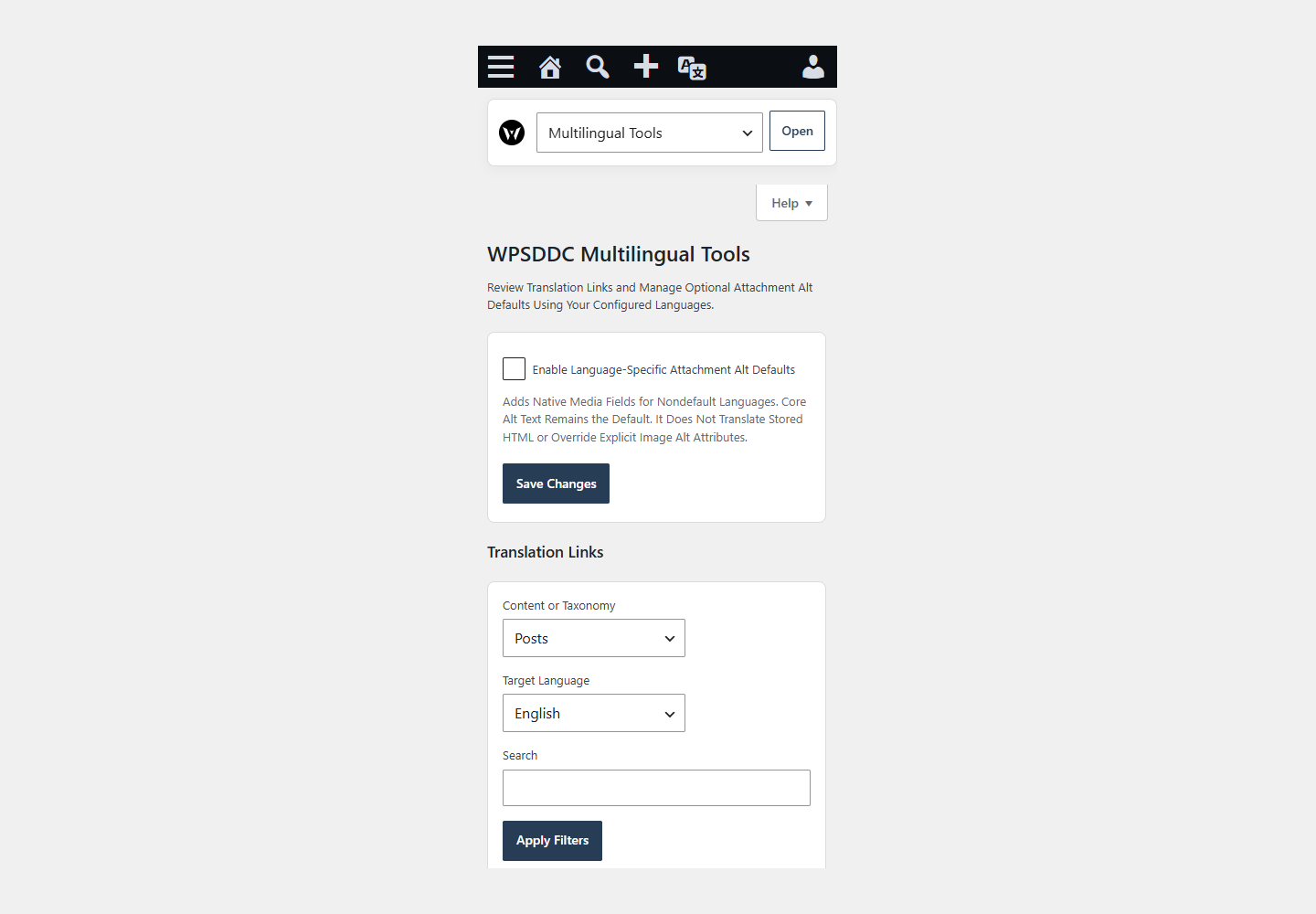
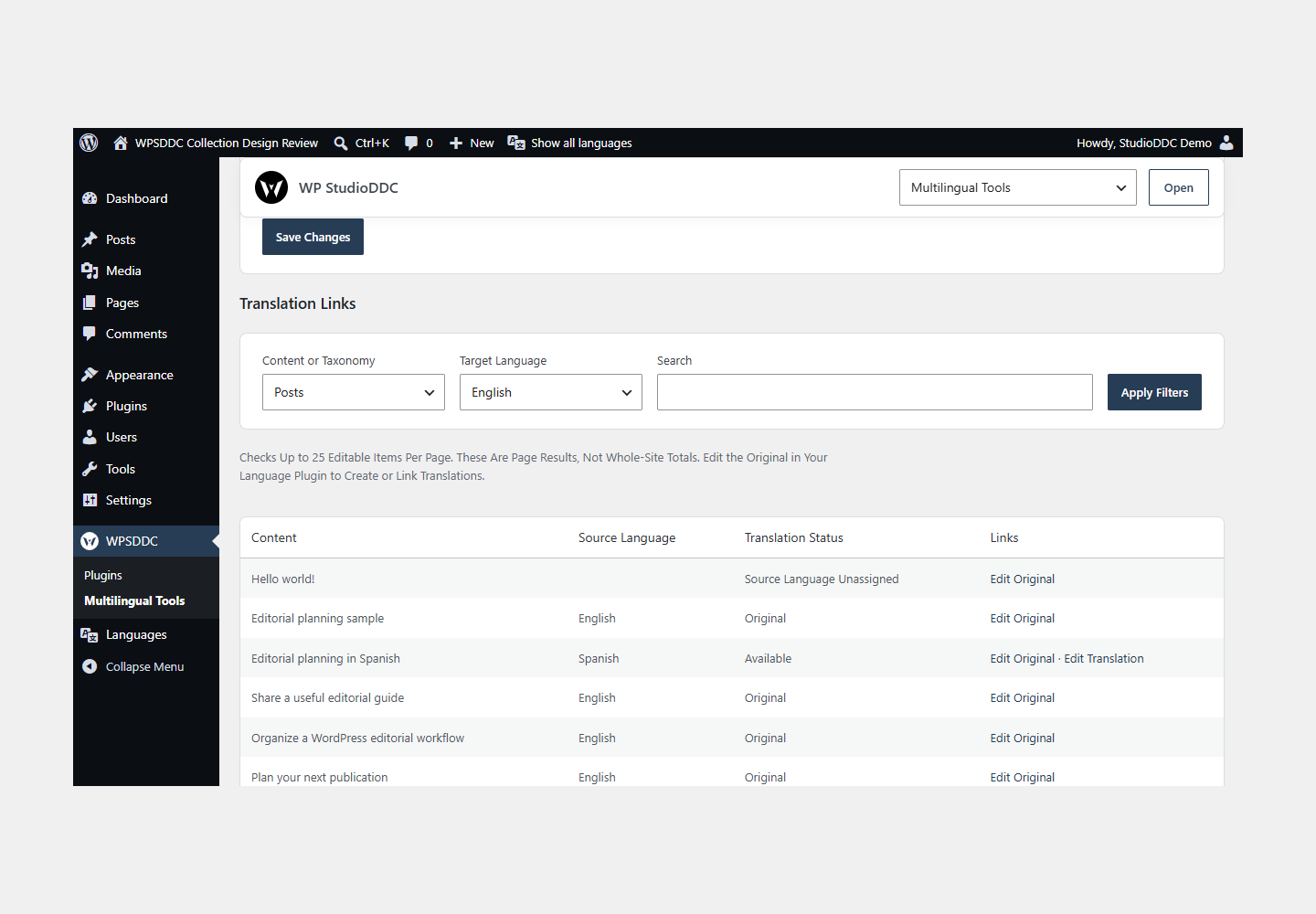
Use the languages configured in Polylang or WPML to review original and linked translations for public content types and taxonomies you can edit. Search and select a target language. Each report page checks up to 25 items; these are page results, not whole-site totals. Open authorized native edit links to create or link translations in your language provider. Authors see their own content; subscribers cannot open the tools.
An optional administrator setting adds language-specific text fields to native image attachment forms. Core Alternative Text remains the default. Secondary language values can be enabled individually, including an intentional empty value; unchecked languages inherit Core. Nonempty inactive drafts are retained for later editing. The values affect frontend attachment alt defaults while preserving explicit image attributes, authored HTML and block alt text. REST and admin reads retain Core values.
No automatic translation, locale override, fixed language pair, shared reviews, remote service, telemetry or HQ data migration is included. Polylang or WPML must be configured separately with at least two languages. Neither is bundled or installed automatically. Polylang takes precedence if both are active.
Settings and secondary alt metadata are site-local and retained on deactivation/uninstall. With alt behavior disabled, frontend cost is the guarded entry file and one plugin option lookup. With it enabled, only provider/alt helpers load; there are no frontend assets. The read-only report uses one small scoped responsive stylesheet. Native media controls require no custom script.
Frequently Asked Questions
Do I Need the Whole Collection?
No. Install only the plugins you need and check any product-specific dependencies listed above.
Is It Available on WordPress.org?
Version 1.0.0 is in preparation and is not published on WordPress.org yet. The official link will be added after an approved version is published.
Support and License
Check the documented limits first. Include the plugin, WordPress and PHP versions and reproduction steps when requesting support. Do not include passwords or personal data.
GPL-2.0-or-later license. Author: StudioDDC. Native WordPress controls.
Real Screenshots
Captured in real test WordPress installations with synthetic content. Images show implemented features and do not depict client installations.